
Download BlueStacks App Player – Android apps, Windows, run apps, mobile app, emulator, free, productivity, tool, utility, APK, install, download
Overview
BlueStacks App Player is a dedicated emulator designed to bridge the gap between Android mobile applications and Windows-based desktop environments. Its primary purpose is to enable users to run Android apps and games directly on their Windows systems, offering a seamless experience for those who wish to access mobile content without relying on a smartphone. This tool is particularly valuable for individuals seeking to use productivity apps, social media platforms, or resource-intensive games on a larger screen with enhanced controls.
The application serves as a virtual Android device, allowing users to install and manage apps through familiar interfaces such as the Google Play Store or direct APK installation. This functionality appeals to a broad audience, including gamers looking to play mobile titles on PC, remote workers needing mobile productivity tools, and tech enthusiasts experimenting with cross-platform compatibility. While the developer, BlueStacks, Inc., is not detailed further in the provided data, the app's consistent updates and widespread use suggest a reliable and well-maintained product.
Real-world use cases include using mobile banking apps on a desktop, streaming mobile games with better performance, or managing social media accounts from a larger screen. In the current app ecosystem, BlueStacks App Player plays a key role by expanding the usability of mobile applications beyond smartphones, enhancing accessibility and flexibility for Windows users.
Key Features & Functionality
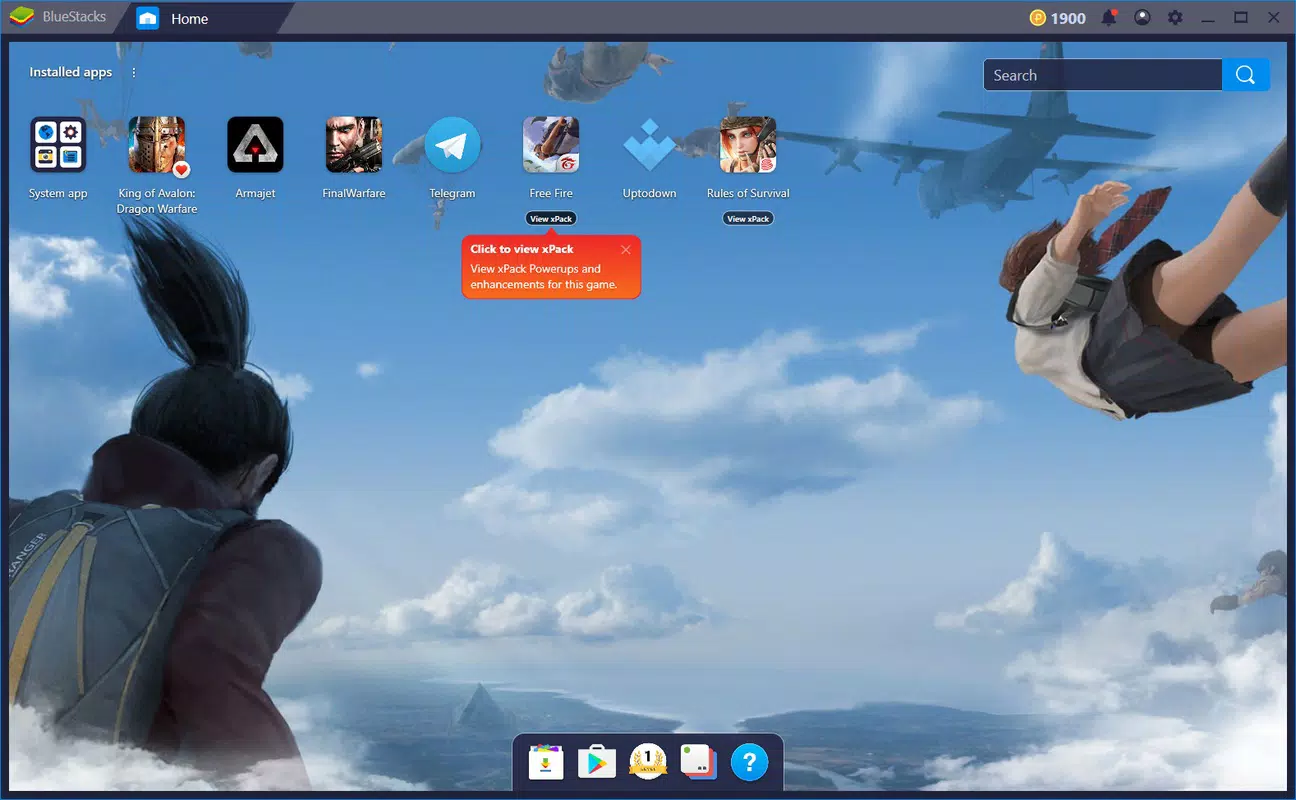
- Virtual Device Menu: The emulator presents a simulated Android device interface, allowing users to organize, launch, and manage installed apps as if using a real smartphone. This feature enhances usability by maintaining the expected app navigation flow.
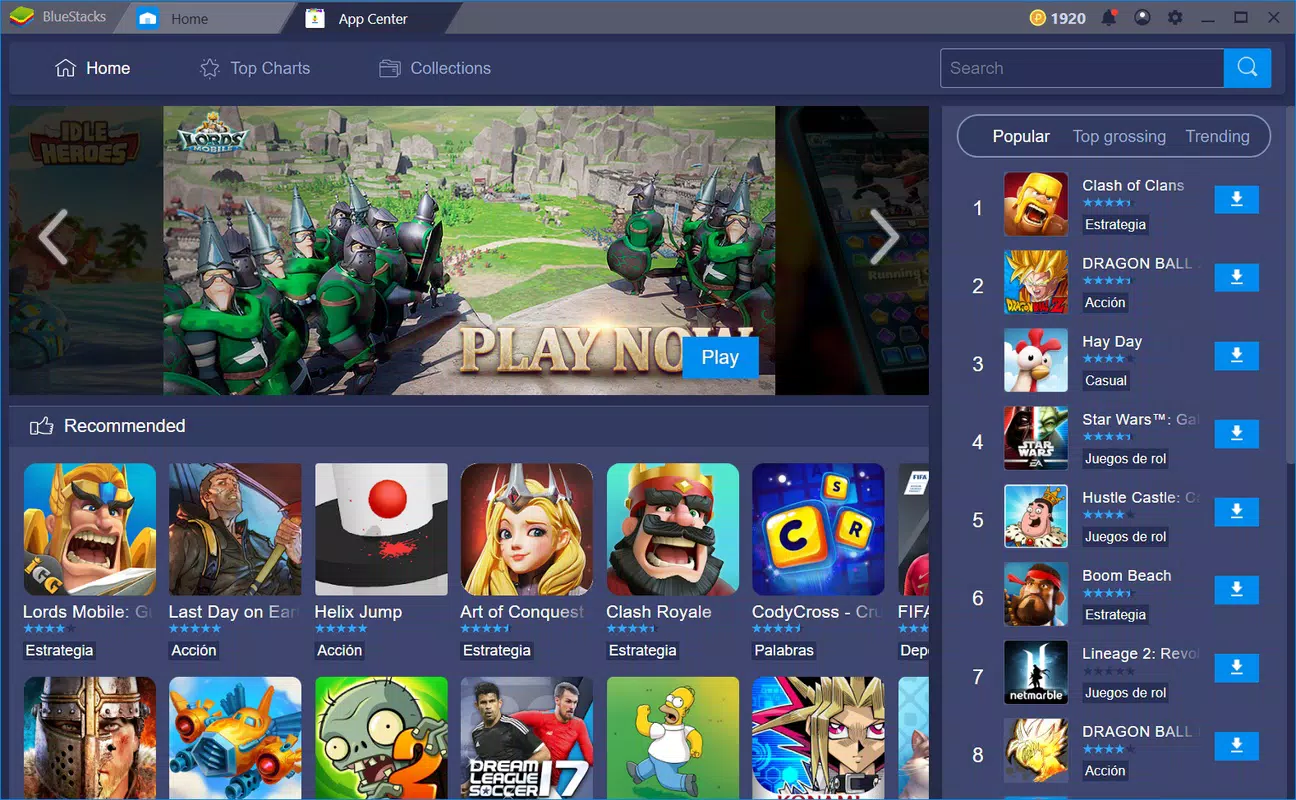
- Multiple App Download Methods: Users can install apps via the built-in app store, access Google Play directly through a web browser, or manually install APK files. This flexibility supports both novice and advanced users across different technical skill levels.
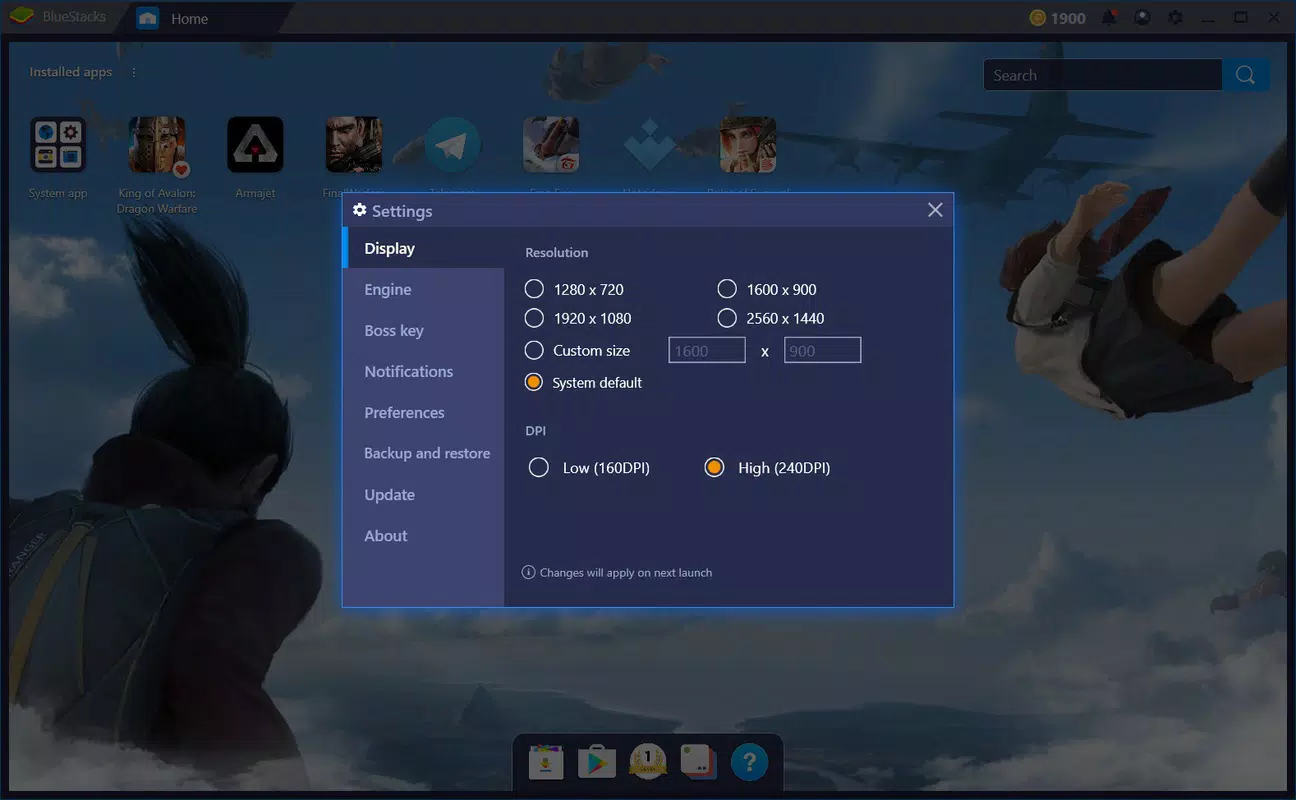
- Customizable Interface: The software adapts to various input methods, including mouse, keyboard shortcuts, and external gamepads. It also supports touch input on compatible screens, offering a personalized experience based on user preference.
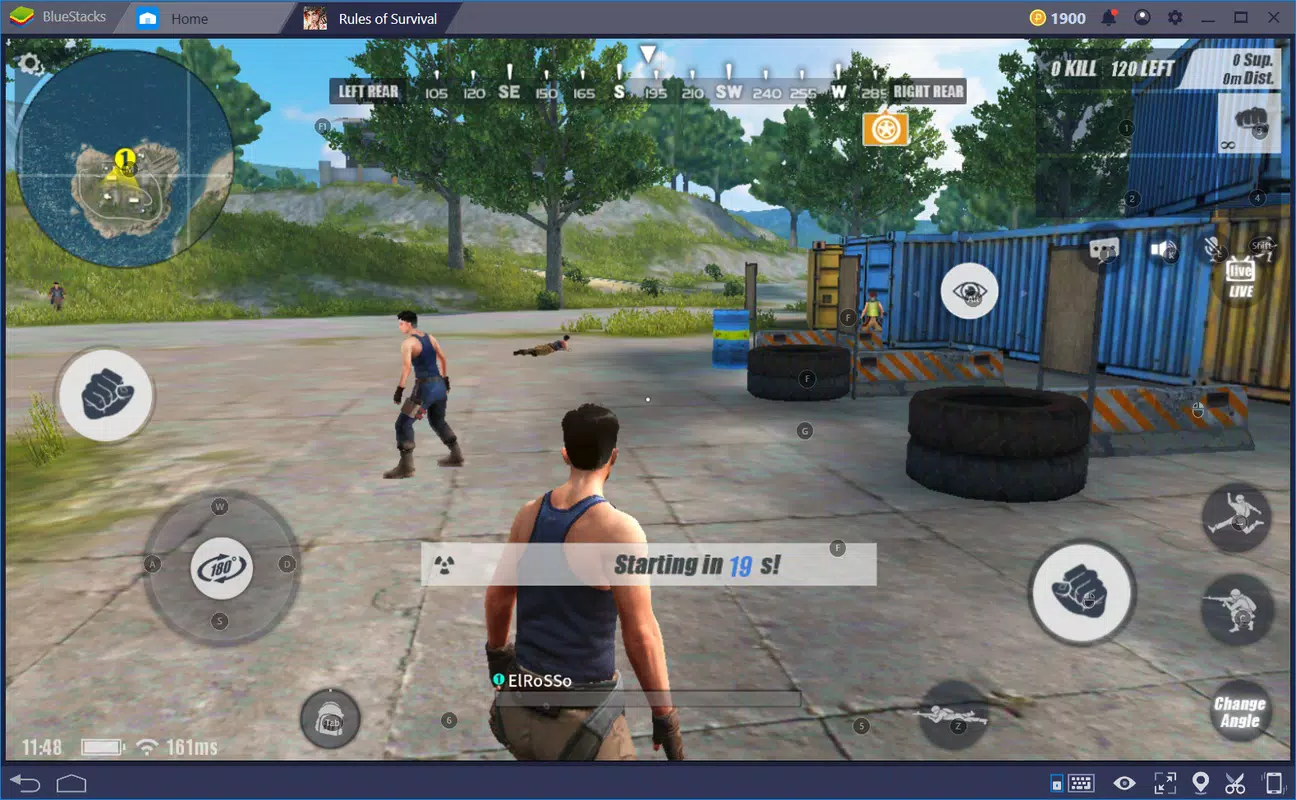
- High-Performance App Support: With access to 2GB of RAM, BlueStacks App Player enables smooth operation of demanding applications and games, ensuring responsive performance for graphics-heavy content.
- Screen Recording and Social Sharing: Built-in screen recording allows users to capture gameplay or tutorial videos, while seamless sharing options facilitate quick posting to social media platforms.
These features translate into tangible benefits: a gamer can use a gamepad for better control, a professional can use a mobile app for work on a large monitor, and a content creator can record gameplay without additional tools. The integration of multiple input and output options ensures the app remains accessible and efficient across diverse use cases.
Interface, UX & Performance
The user interface of BlueStacks App Player is designed to mimic a real Android device, featuring a home screen layout with app icons and a navigation bar. The visual style is clean and minimal, prioritizing functionality over decorative elements. Navigation is intuitive, with consistent layout patterns that reduce the learning curve for new users.
Users can interact with the app using a mouse, keyboard, or external controller, making it adaptable to different workflows. Touch support is available on compatible devices, allowing direct screen tapping. The interface responds promptly to inputs, and the overall experience is smooth during regular app usage.
Although the developer did not list formal performance metrics, the app’s ability to run high-performance apps suggests optimized resource allocation. Stability appears consistent across different device categories, though specific hardware requirements were not disclosed. The emulator maintains responsiveness even during extended sessions, indicating efficient background management.
Platform Compatibility & Technical Requirements
BlueStacks App Player is available exclusively for the Windows platform. The current version is 4.270.1.1000, with a file size of 443.7 MB. The app is offered at no cost, making it accessible to a wide range of users.
The developer did not specify minimum OS requirements or exact hardware specifications. However, given the app’s need to run Android apps with performance demands, it likely requires a modern Windows system with sufficient RAM and a capable processor. Users should ensure their system meets general standards for running virtualized environments.
Pros and Cons
Pros
- Free to download and use, eliminating cost barriers for users.
- Supports multiple app installation methods, including APK and Google Play.
- High-performance capability with 2GB of RAM allocation.
- Customizable controls for mouse, keyboard, and gamepad.
- Includes screen recording and social sharing features.
Cons
- Specific system requirements were not listed by the developer.
- Performance may vary depending on the user’s hardware configuration.
- Some users may experience compatibility issues with certain apps.
- Emulator-based operation may consume significant system resources.
- Not available for macOS or Linux systems.
FAQ
Is BlueStacks App Player safe to download and install?
Yes, BlueStacks App Player is a legitimate software tool developed by BlueStacks, Inc. It is available through official channels and does not contain malware. However, users should always download from trusted sources to ensure security.
Can I install APK files directly on BlueStacks App Player?
Yes, the emulator supports direct APK installation, allowing users to sideload apps not available on the Google Play Store.
Does BlueStacks App Player work on all Windows versions?
The developer did not specify compatibility with particular Windows versions. It is recommended to check system requirements before installation.
Can I use BlueStacks App Player to play mobile games?
Yes, the app is optimized for running high-performance games and supports external controllers for enhanced gameplay.
Is there a mobile version of BlueStacks App Player?
BlueStacks App Player is designed for Windows systems only. There is no official mobile version available.
Final Thoughts
BlueStacks App Player stands out as a versatile and accessible solution for Windows users seeking to extend their mobile app experience to desktop environments. Its ability to run Android apps with high performance, combined with flexible installation options and a customizable interface, makes it a top choice for gamers, professionals, and casual users alike. The inclusion of screen recording and social sharing features adds practical value for content creators.
While specific technical requirements are not disclosed, the app’s robust feature set and free availability make it a compelling option for anyone looking to run Android apps on their PC. Whether you're managing work tools, playing games, or creating content, BlueStacks App Player delivers a reliable and efficient experience.
Download BlueStacks App Player now


